5-Digit LCD Digital Counter, Magnetic Induction Punch, High-Precision Professional Counter
You may also like








Compare with similar items
Product information
Description
【LCD Screen】: The digital counter uses a large, five-digit LCD screen with ultra-low power consumption. The screen is large and clear even during extended use.
【Easy to Use】: Press the count/pause button to stop counting. After 0 to 30 seconds, the LCD screen automatically turns off and enters standby mode. Press the count/pause button again to turn on the indicator light and resume counting.
【Digital Counter】: The magnetic induction counter adopts the principle of magnetic induction and is easy to install. The counter's maximum counting speed is 20 times per second, and the counting is accurate.
【Shockproof】: The digital counter adopts shockproof technology to ensure stable system operation, reliable performance, and a long lifespan.
【Battery Powered】: The digital counter uses ordinary AA batteries; no external power supply is required, there is no mechanical wear, safe operation, and a long lifespan.
Specifications:
Power Supply: 1.5V-AA battery (not included)
Available Ambient Temperature: -5-40°C
Distance within Magnetic Induction: Approximately 5-10 mm
Hole Size: Approximately 63*35 mm/2.5*1.4 inches
Application Method :
1. Start counting: Connect the magnetically controlled induction switch to the counting terminal. Depending on the actual operating requirements, flexibly assemble the magnetic induction switch and the magnet in the appropriate positions on the device, then count once. During this time, move the magnet towards and away from the magnetically controlled induction switch once.
2. Pause counting: Press the Count/Pause button to pause counting. Depending on the counter's operating state, the counter's LCD display will turn off within 0 to 30 seconds and enter standby mode (power consumption approaches 0). Press the Pause button again to turn the LCD display back on and resume counting.
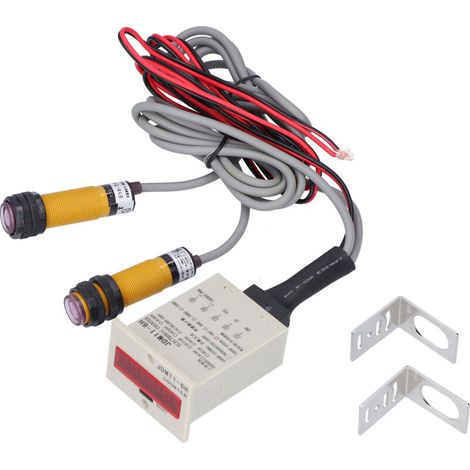
3. Reset: Press the Reset button directly; Note: During reset, whether the counter is in startup or standby mode (the LCD screen displays no information), the data will be erased and the LCD display will show 00000. 4. Only the counting and reset signals can be input via the contact signal; other power signals are not permitted. 5. The operating temperature of the magnet must be below 70 degrees Celsius. Excessive temperature will result in a loss of magnetism, thus invalidating induction. Package List: 1 * Digital Counter 1 * Proximity Switch 1 * Mounting Bracket 1 * Magnet
Features
- BrandOTHERS
- Pcs per pack1
- Availability of spare parts0.000912 year(s)
- Width15 cm
- Length15 cm
- MaterialPlaster
- ManoMano ReferenceME220752359
- MMID150788400769
- Product codeBT-UK2025YS-75795
- EAN9140747371955
How to choose your measurement tools?
'/%3E%3C/svg%3E)
'/%3E%3C/svg%3E)