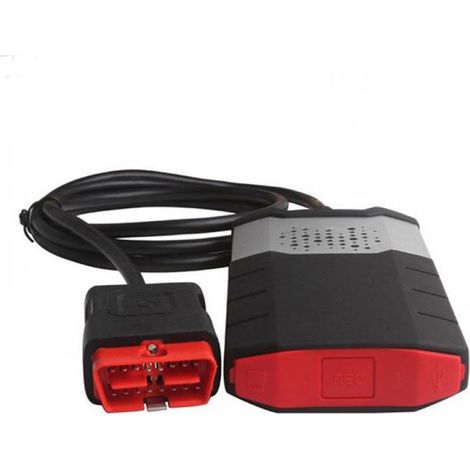
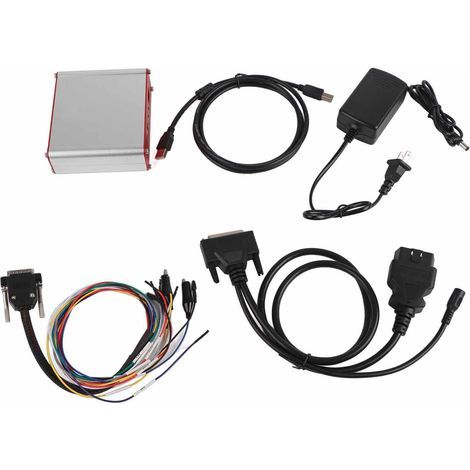
DICE 2014D J2534 Diagnostic Kit for Volvo - Multilingual OBD2 Scan Tool with Hardware and VIDA Software Interface - Complete ECU Diagnostics (Engine, ABS, Airbag, etc.) - Compatible
You may also like





Compare with similar items
Product information
Description
Note:
1. Please disconnect from the network and disable your antivirus or firewall before installation.
2. Recommended PC configuration: Windows 7 Professional (32/64-bit), Internet Explorer IE8 or IE9 or later, .NET Framework 3.5. XP and Windows 7 Home Edition systems are not compatible!
3. Bluetooth connection is not supported; communication is via USB.
Specifications:
1. Supported Languages:
---2014D: German, Finnish, Italian, Dutch, Turkish, Spanish, French, Swedish, Portuguese, Russian, English (UK), English (US)
2. Compatible Vehicles:
2014D: 1999-2014
3. Supported Parts: Control Modules, SRS, General Safety, Brakes, Airbags, Engines, Service and Maintenance.
Functions:
1. Administration: General Information, Design and Functions
2. Standard Components, Spare Parts and Consumables. General Information (including Control Modules, SRS, General Safety) and
3. Service and Maintenance
4. Engine, Installation, and Equipment
5. Electrical System
6. Transmission
7. Braking
8. Suspension and Steering
9. Springs, Shock Absorbers, and Wheels
10. Body and Interior: including diagnostics, design and functionality, repair information, and spare parts
11. Other: special vehicles, such as ambulances and police cars. Non-standard components.
Notes:
1. DICE: Diagnostic Communication Device, a tool used with an all-in-one unit to communicate with the vehicle.
2. The DICE is equipped with an integrated CARB cable that connects to the vehicle's diagnostic port. Once connected, the DICE is powered as long as the battery is charged.
3. The DICE has a folding hook for hanging it on the vehicle's handlebars.
4. At one end of the device is a DC input for connecting a battery cable or adapter (12V). This adapter is used for DICE updates and troubleshooting.
5. At the other end of the device is a removable cover, which you can remove by unscrewing the screws.
System Requirements for DICE on your computer:
1. Operating System: Windows 7 Professional.
2. Internet Explorer 9 or later.
3. More than 3 GB of available RAM.
4. 30 GB of free space on the C:\ drive.
5. Installation on the C:\ drive.
6. File format: NTFS.
FAQ:
Q: If "Communication Tools" displays a cross (X)
A: Simply run the EnableIEHostingx86.reg file for 32-bit systems or EnableIEHostingx64.reg for 64-bit systems. These files are located in the INSTALL\Utils folder. Just run these files as administrator, and everything should work!
Q: A "Safe and normal, but not normal" error occurs during installation.
How do I solve this problem?A: You must install it on a Windows 7 32-bit computer.
Q: Does the DICE have coding and programming functions? Is it possible to change the instrument panel language?
A: No, it is a comprehensive diagnostic tool for both older and newer vehicles, but it cannot be programmed and its language cannot be changed.
Q: I am using a DICE 2014D and I am wondering which module I can use to modify the "Automatic Speed Limiting" function?
A: You must be able to simultaneously read and write to the flash memory of the DIM and ICM.
You have two options: either recharge it at your dealership, or have it recharged by someone with an automotive interface. You can also purchase an interface capable of reading and writing to the DIM, but not to the ICM.Features
- BrandCOOCHEER
- Pcs per pack1
- Starter kitYes
- MaterialMetal
- Voltage12 V
- ManoMano ReferenceME215144135
- MMID766280972808
- Product codeHD231-26429554
'/%3E%3C/svg%3E)