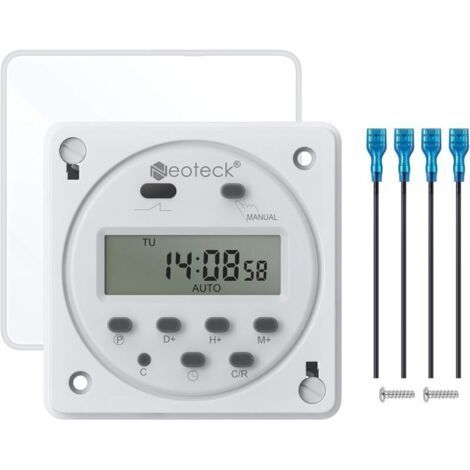
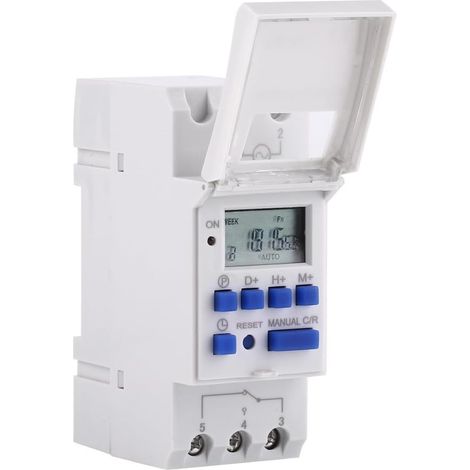
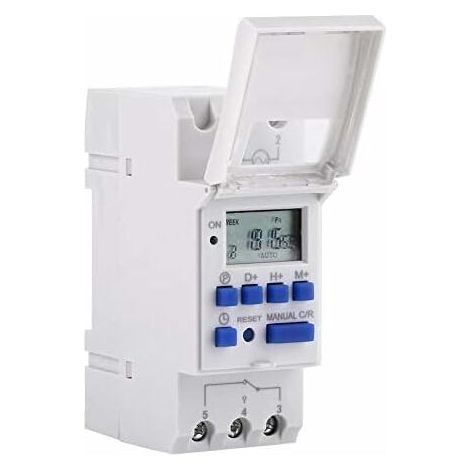
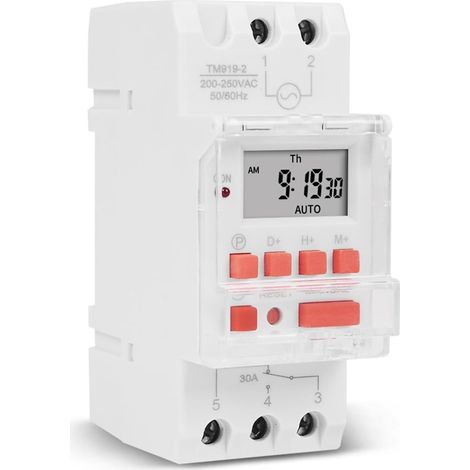
Digital timer, 1 weekly programmable electronic relay with LCD display, 16 on and 16 off (220 V)
Buying for your business?
Negotiated prices excl. VAT up to -20%
You may also like











Compare with similar items
Product information
Description
【Advanced preset function】DIN track programmable digital timer switch allows advanced preset one week in advance, with universal digital electronic switch for daily and weekly programs, minute setting.
【 Flexible programming 】The LCD screen of the relay is programmable, it can display the hour/minute and ON/AUTO/OFF in real time, and can automatically turn on and off the power of multiple electrical equipment according to the time set by the user.
【Wide application】Control objects can be street lights, neon lights, advertising signs, production equipment, radio and television equipment and other electrical equipment and household appliances that need to be turned on and off regularly.
【Super anti-interference ability】The timer switch is equipped with a built-in 1.2V/40mA rechargeable battery and an industrial-grade chip, which has high precision and strong anti-interference ability.
Specifications:

Input voltage:AC220V
Rated contact voltage: AC 180v to 264v (50/60Hz)
Load capacity: 16A 250vac (resistive load)
On/off operation: 16 on/off (manual/automatic)
Display: LCD
Power: 4.5va (max.)
Error: ≤ 2 S / day (25 °C)
Installation method: Din Rail (not included)
Limit: 1 minute to 168 hours
Operating temperature: - 10°C to 55°C
Dimensions: 86 x 36 x 65 mm / 3.38 x 1.41 x 2.56 inches
Quantity: 1
Description:
1. When using the timer switch for the first time, enter AC and charge the built-in battery, then press the reset button.
2. The timer switch is in 24 hour mode by default. Press and hold the time button (bottom left, next to Reset) for 5 seconds until am is displayed for 12 hour mode. Press and hold the time button again for 5 seconds to reset it to 24 hour mode.
Programming:
1 press P to set “1 on” time (display 1 on)
2 press D + Select days of the week (you don't need to press this button if you want to set the same number of days each day)
3 press H+/M+ to set hours and minutes
4 press P to set “1 off” time (1 off is displayed)
5 press P select days Week (you don't need to press this button if you want to set the same settings every day)
6 press H+/M+ to set hours and minutes
7 repeat steps 2 to 6 to set another opening/closing time
8Press Time (bottom left, next to Reset) To finish
Package includes:
1 timer switch
1 English manual

Features
- BrandOTHERS
- Amperage16 A
- MaterialPlaster
- Type of electrical installationDIN rail
- Programming frequencyWeekly
- ManoMano ReferenceME247322473
- MMID843956695128
- Product codeQD-GB26Y77238
- EAN3790499638064
'/%3E%3C/svg%3E)