1/4
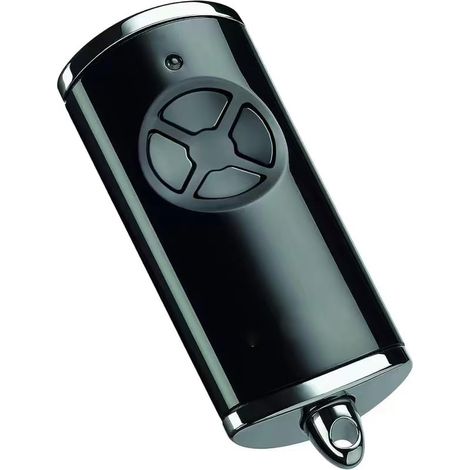
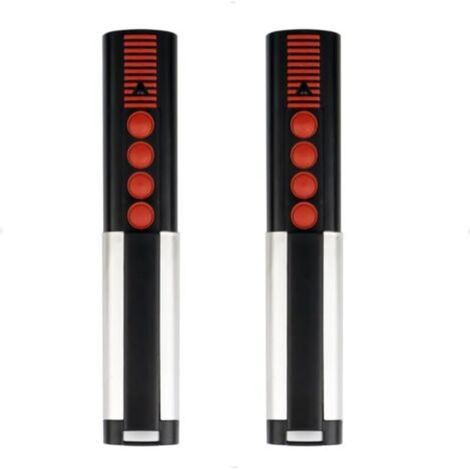
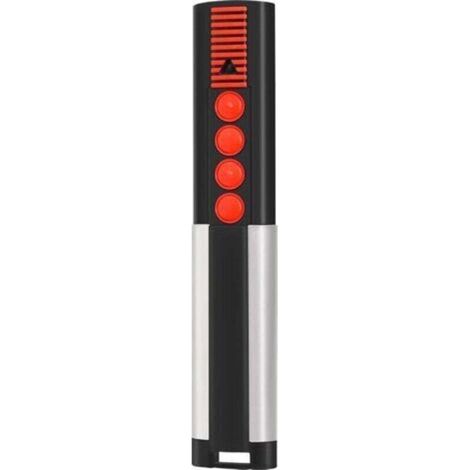
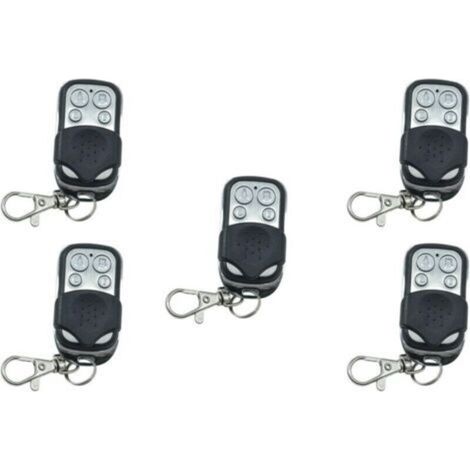
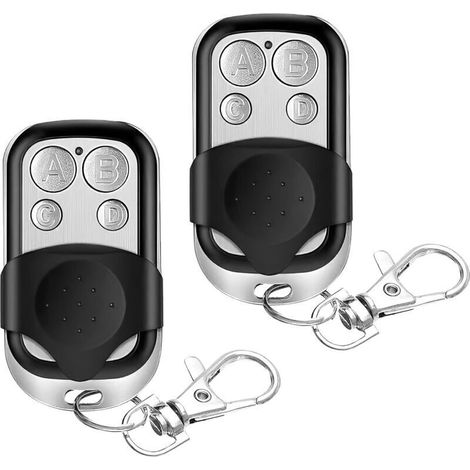
[NEVER USED] Garage Door Remote Control 868.3 MHz – Compatible with Hörmann HSM4, HSE2, HS1, 4 Buttons, 30m Range
Sold by Selphora
You may also like




![[NEVER USED] Heavy Duty Door Hinge 2 Pcs, 12 Inch T-Hinges, Heavy Duty Garage Door Hinge, Black T-Hinge with Screws, Stainless Steel Flat Hinge for Factory, Warehouse, and Garden Gates](https://cdn.manomano.com/pim-media/images/medium/69bba32baae1a9846907bfad0883c006b7cb5d30.jpg)
![[NEVER USED] Set of 2 wireless garage door remote controls - Compatible with Dicket MAHS40-01, MAHS40-04 handheld transmitters, 4 buttons, red button](https://cdn.manomano.com/pim-media/images/medium/5bcc0836c8d6dd610801c1be0c04ae7f503612f4.jpg)
Compare with similar items
Product information
Description
Product never used, packaging damaged during transport. Unopened product, repackaged in our warehouses, in perfect working condition, warranty available.
Warm advice: This garage door remote is more of a replacement than an original accessory. We recommend referring to the compatibility list below before purchasing. Compatible only with the following 868 MHz blue handheld transmitters: HSE4-868-BS, HSE2-868-BS, HS4-868-BS, HS5-868-BS, HS1-868-BS, HSD1-868-BS, HSD2-868-BS. Two programming methods: copy the code from your remote / program the original remote via the receiver. Note: Built-in rolling codes (blue LEDs)! If your original remote uses fixed codes (red LEDs), it will not work. Supports 4 garage doors, controls up to 4 garage door openers or gates + rolling code technology to protect your home's access and connection. Unique design, durability, and well-made materials such as reinforced metal keychain frames make this remote control stronger and more attractive than a bulky, 100% plastic remote. This mini BS 4-button handheld transmitter features a metal protective cover to prevent accidental button presses. And it's small enough to fit on a keychain, bag, or backpack, making it easy to carry. Note: Built-in scrolling codes (blue LEDs)! If your original remote uses fixed codes (red LEDs), it will not work. Compatible models: For Hormann HS1-868-BS. For Hormann HS4-868-BS. For Hormann HS5-868-BS. For Hormann HSE1-868-BS. For Hormann HSE2-868-BS. For Hormann HSE4-868-BS. For Hormann HSP4-868-BS. For Hormann HSD2-868-BS. For Hormann HSS4-868-BS. How to program? 1) Press and hold the button on the new remote. If you want to program the code from the original remote, press and hold it. Then, press another button three times until the red LED light illuminates for 10 seconds, then release all buttons. 2) Place the original remote as close as possible to the left side of the new remote. 3) Press the button on the original remote. You must copy the code until the LED flashes red and blue alternately. Check that the LED on the new remote flashes blue. If it doesn't, try moving it as close as possible to the original remote. 4) When the blue light on the new remote flashes rapidly, the learning process is complete. Release all buttons. 5) Please repeat the same procedure for the remaining buttons. Reset Method: Each button on the remote is assigned a new radio code by following these steps: (1) Remove the battery for 10 seconds. (2) Press and hold a button on the remote. (3) Insert the battery. The LED will flash slowly blue for 4 seconds. The LED will flash rapidly blue for 2 seconds. The LED will then remain solid blue. (4) When you release the remote control button, all radio codes are reassigned. Note: If the remote control button is released prematurely, no new radio codes will be assigned.Features
- BrandOTHERS
- ColourBlack
- ShapeCylindrical
- ManoMano ReferenceME215363258
- MMID128087200121
- Product codeSECOL-32391_never_used
You are here:
'/%3E%3C/svg%3E)