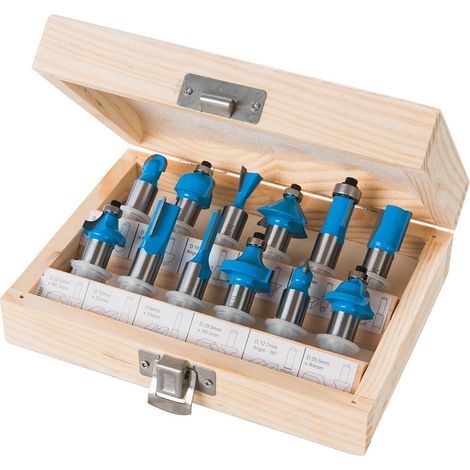
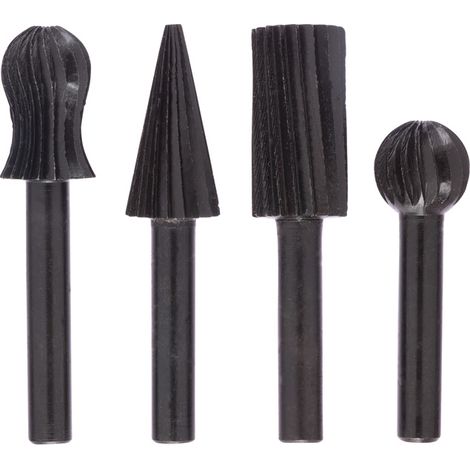
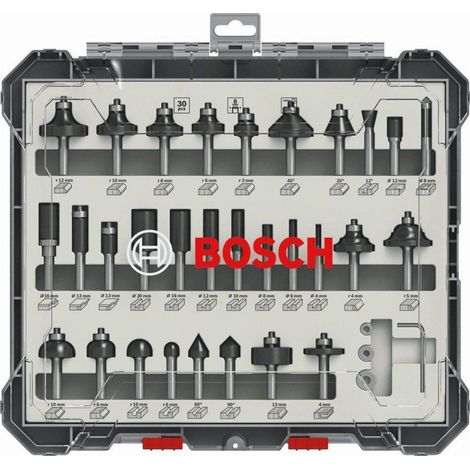
Pieces 8mm Wood Router Bits with Depth Stop for Drill, Woodworking and Plastic
You may also like





Compare with similar items
Product information
Description
Digital Alarm Clock, Battery Operated Color LED Alarm Clock with Snooze Function, Digital Alarm Clock with Temperature Display, 8 Alarm Sounds, 12/24H Time, USB Charging Port, Black
- Functional Features 1. SETTING THE CURRENT TIME "TIME SET"
(1) Press and hold "time set" to enter clock setting mode. The time will flash. Rotate the top round knob to set the current hour. (2) Press "time set" once to confirm and proceed to minute setting. Rotate the top round knob to set the current minutes. (3) Press "time set" once to switch to 12/24-hour time format. Rotate the top round knob to set the time. (4) Press "time set" once to switch to day of the week setting. Rotate the top round knob to set the day of the week. After completing the setting, press "time set" once to confirm and exit time setting mode.
2. SETTING THE ALARM
(1) Press and hold the alarm button and rotate the round knob to set the hour. (2) Press the alarm button a second time and rotate the round knob to set the minutes. (3) Press the alarm button a third time to select the alarm sound (8 types of alarm sounds in total: cicadas, rain, waves, campfire, birdsong, church bell, piano 1, piano 2). (4) Press the alarm button a fourth time and rotate the round knob to adjust the alarm volume. The volume can be set from 1 to 16. (5) Press the alarm button a fifth time and rotate the round knob to set the day of the week, then complete the setting.
3. FM RECEIVER
(1) Press the FM button once to turn the FM receiver on or off. (2) When the FM is on, press and hold the FM button to enter automatic station search mode. The search range is 76.0 MHz to 108.0 MHz. After the search, it will automatically broadcast the frequency of the found station. (3) When the FM is on, press and hold the "VUL/TUME-" and "VUL/TUME+" buttons for 2 seconds to switch to the previous/next station. (4) Press the "VUL/TUME-" and "VUL/TUME+" buttons once to adjust the volume of the current station. (5) To adjust the station frequency, turn the round knob to set the current frequency to 0.1 MHz.
4. ALARM OPERATING MODES
(1) Alarm every day (MON-SUN) (2) Alarm on weekdays (MON-FRI) (3) Alarm on weekends (SAT-SUN)
5. FONT COLORS "Colors":
In time display mode, press the "COLORS" button once to change the display font color (white, red, green, blue, gradient, colored, left-right gradient, top-bottom gradient).
6. SCREEN INTENSION "Dimmer":
Press "DIMMER" to adjust the screen intensity from high to low (4, 3, 2, 1, OFF).
7. SLEEP TIMER "Sleep Timer":
Press and rotate the round button to set a custom auto-off timer of 10, 120, 180, or 240 minutes.
8. SNOOZE SEAT FUNCTION "Snooze":
When the alarm sounds, press the "snooze" button for an additional 9 minutes of nap time. There is no limit to the number of times this can be used.
Features
- BrandOTHERS
- ColourBlack
- Blade diameter8 mm
- Inside diameter8 mm
- MaterialPlastic
- Mitre saw accessory typeBlade cover
- Table saw accessory typeFoot pad
- ManoMano ReferenceME221546055
- MMID388398165898
- Product code6953625641704
- EAN6953625641704
'/%3E%3C/svg%3E)