1/5
Touchscreen Cabinet Lock, Smart Security for Letter Box Drawer Gym Spa (L = 30 mm)
Of which environmental contribution £0.10 including VAT.
Buying for your business?
Negotiated prices excl. VAT up to -20%
Sold by Cuizi
You may also like






Compare with similar items
Product information
Description
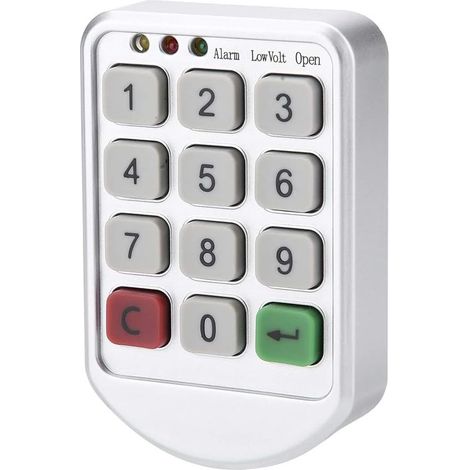
【Superior Quality】---Our touch keypad lock is made of high-quality ABS, ensuring its strength and durability. Its precise function adds to its security, making it a reliable choice for your locking needs. 【Keyless Convenience】---The Touch Keypad Password Lock eliminates the need for keys, offering a more convenient and modern way to secure your valuables. Its high-tech design is not only pleasant to use but also reduces the risk of lost or stolen keys. 【Default Settings and Functions】---The electronic keypad lock comes with a default master password, a home mode setting, and smart indicators. Any incorrect password entry triggers an audible alert, providing an extra layer of security. 【Excellent Build Quality】---With its sleek appearance and compact design, this lock blends seamlessly into any environment. Its exquisite craftsmanship ensures reliable and precise operation, perfectly combining aesthetics and functionality. 【Wide Application】---The touch keypad coded cabinet lock is applicable to a variety of scenarios, including schools, gymnasiums, golf courses, supermarkets, hotels, businesses, factories, households and business clubs, making it a versatile option for all your security needs. List of packages: 1xsecurity code lock 1xmounting panel 1xmounting nut 1xmounting screw 1xManual Battery: 3V button cell (CR2032) (not included) Instructions: Activating Public Mode 1. Enter the correct management password "****+OK", the buzzer will sound a long beep, the unlock light will remain on. 2. Press the OK button again for more than 2 seconds, the padlock will flash, press the OK button again. 3. Enter the numbers "4,4" and press the "OK" button, followed by a long beep. Setting a Temporary Password 1. Press the OK button, the unlock light will flash. 2. Enter the password to be set (4-15). 3. Press the OK button. The buzzer will beep for a long period, and the lock will be opened and stored. The temporary password has been successfully set. After entering sleep mode, the electronic lock indicator will flash every 3 seconds. *The temporary password can only be used once and will automatically become invalid after use. Deactivate Public Mode 1. Enter the correct management password + OK + buzzer (a long beep will sound). The unlock indicator will remain on. 2. Press the OK button again for more than 2 seconds. The padlock will flash. Press the OK button again. 3. Enter the numbers "4,3" and press the OK button. A long beep will sound.
Features
- BrandOTHERS
- ColourWhite
- Pcs per pack1
- MaterialPlaster
- Locking methodElectronic
- ManoMano ReferenceME249581390
- MMID534246680561
- Product codeBT-UK2025YS-147130
- EAN3799938201739
You are here:
'/%3E%3C/svg%3E)