1/5
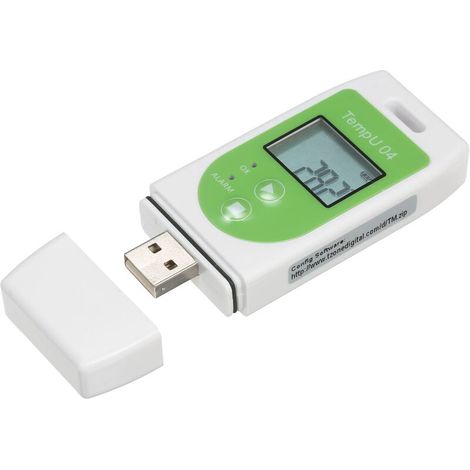
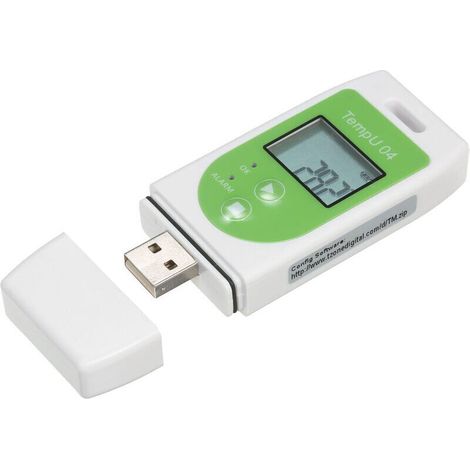
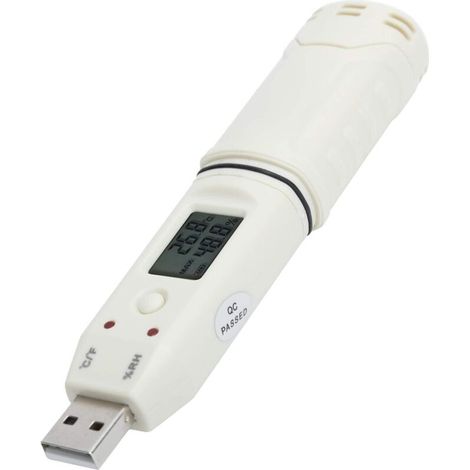
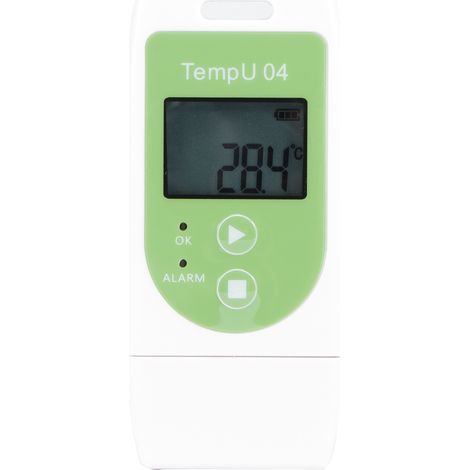
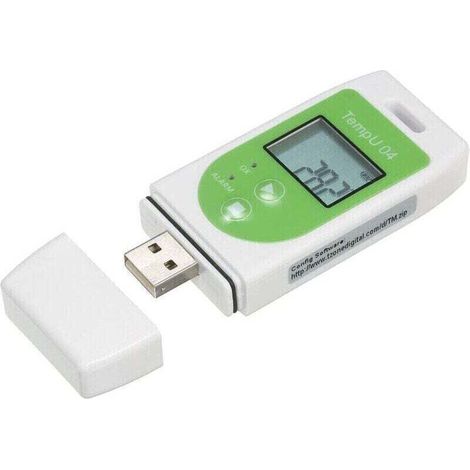
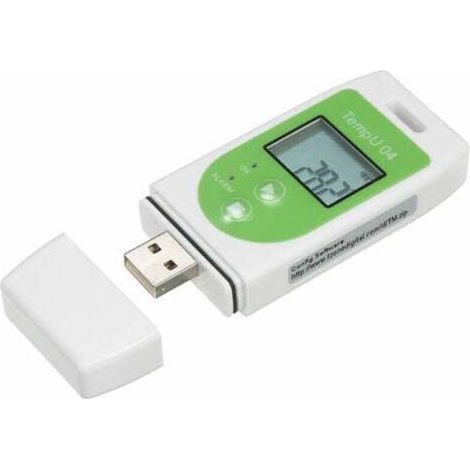
UT330T Temperature and Humidity Recorder, USB Industrial Thermometer, Indoor Temperature Meter
Of which environmental contribution £0.01 including VAT.
Buying for your business?
Negotiated prices excl. VAT up to -20%
Sold by MICHH-GB
You may also like



Compare with similar items
Product information
Description
1. Industrial temperature tester, high-precision measurement, accurate measurement data, easy to use.
2. The USB temperature and humidity recorder can test not only the temperature but also the humidity in the room. 3. Wall-mounted design, the body is small and doesn't take up space, IP65 waterproof, easy to install. 4. It has a wide range of applications; the large 64,000-data-capacity storage is convenient for recording daily measurement data. 5. Automatic memory function, automatic storage interval of 15 minutes, can record 140 days of measurement data.Specification:
Item Type: Temperature and Humidity Recorder.
Material: ABS Power supply: 1 x CR2032 (3V) (not included) Function UT330T TU330TH Measurement range Measurement accuracy Measurement accuracy Temperature -30℃~20.1℃±0.8℃ ±0.4℃ -20.0℃~40.0℃ ±0.4℃ -40.1℃~70.0℃ ±0.8℃ Humidity 0 ~ 99.9 % ± 2.5 % RH Resolution temperature: 0.1℃, humidity 0.1% RH Recording capacity 64000 groups Recording interval 10s ~ 24h adjustable Unit/alarm setting The default value is ℃; The alarm type is divided into single/cumulative alarm; the default is single alarm. Startup mode: Button/software (immediate, delayed, timed). Recording time: 0 min ~ 240 min (default 0). Device ID: 0-255 (default 0). Alarm timeout: 0 s ~ 10 h (default 0). Standby time: 5 s. Battery type: CR2032. Working time: Based on a 15-minute test interval, it can record for 140 days. Operating temperature and humidity: -30℃~70℃; ≤99%, non-condensing. Storage temperature: -50℃~70℃. Protection rating: IP65. Instructions: 1. Starting the recorder. The recorder startup can be configured as follows: button start, immediate software start, or scheduled start time. Press the power button: In the recorder's main interface, press and hold the power button for 3 seconds to turn on the recorder. This startup method supports delayed start. If a delayed start is set, the recorder will not record data immediately after startup and will wait for the specified delay to begin recording. Software will start immediately: Once the recorder has configured its settings, it will be switched from the host computer. Disconnect the recorder from the USB interface, and it will begin recording at that time. Scheduled start: Once the recorder has been configured with the settings, disconnect it from the host computer's USB interface, and the recorder will begin recording when the set time is reached. This scheduled start method cannot be enabled. (Note: If the battery is too low, it may not power on normally and may need to be replaced.) 2. Stop the Recorder Depending on the configuration, the recorder can be stopped using either the key switch or the software. Both stop modes include stopping the maximum recording capacity, and the key switch also supports stopping the computer's software. Press the stop button on the recorder's main interface. Press and hold the stop button for 3 seconds to stop the recorder. If the software stop mode is set, this function cannot be used. Software Stop: Once the recorder is connected to the computer's software, you can click the stop button on the computer's main interface to stop the recorder. 3. Sign When the recorder is in recording mode, press and hold the start button for 3 seconds to perform the signing operation. At this point, the marking icon and the displayed measurement value flash three times, then jump to the number of marking groups. A total of 10 groups can be marked, allowing users to switch between environmental signs or use it for recognizing other signs. 4. Alarm: When the recorder is running, if no alarm occurs, the green LED flashes at 10-second intervals and the main interface display is small; in case of an alarm, the red LED flashes every 10 seconds and the main interface displays an X. When the recorder is stopped, the LED is always off. 5. Data Display: 1) Displaying Data in Stopped State: After starting the recorder, stop it after recording the data. Insert the USB cable into the PC at this time, and the visible LED will flash, indicating that the PDF report is being generated. Do not disconnect the recorder at this time. Depending on the number of recordings made by the recorder, generating the report may take several seconds to several minutes. Please wait patiently for the report to be generated. Once the PDF report is generated, you can open the PDF file on the USB drive to view the data, or open the host computer's software and download the data for viewing and analysis. 2) Viewing the running data: When the recorder is running, after recording the data, insert the 15B port of the PC. The recorder will generate a PDF report for all the data previously inserted, and the recorder will continue to record data. The data will only be generated when the USB drive is inserted again. Once the PDF report is generated, you can open the PDF file on the USB drive to view the data, or you can open the host computer's software and download the data for viewing and analysis. When the recorder is running, as long as there is new data recording, a new PDF report will be generated by inserting the 158 PC interface. If there is no new data recording, the previously generated PDF report will be retained. Package List: 1 x Temperature and Humidity Recorder (battery not included) 1 x Mounting Bracket 2 x Screws 1 x ManualFeatures
- BrandOTHERS
- ConnectivityUSB
- MaterialAcrylonitrile butadiene styrene (ABS)
- Number of channels1
- Measured parameterDisplacement
- Max adjustable temperature70 °C
- ManoMano ReferenceME223239467
- MMID547874786271
- Product codeKrlin-34900
You are here:
'/%3E%3C/svg%3E)