1/5
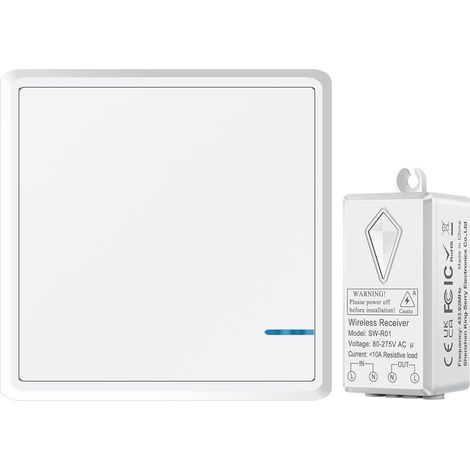
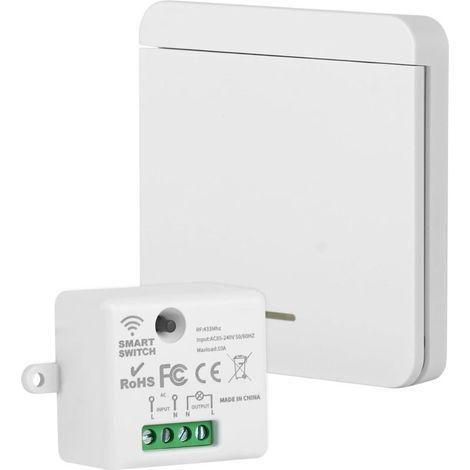
Wireless Remote Control Electrical Outlet Switch Remote Lighting Switch Outlet for Home Appliances
Of which environmental contribution £0.01 including VAT.
Buying for your business?
Negotiated prices excl. VAT up to -20%
Sold by LinzGain Sarl
You may also like








Compare with similar items
Product information
Description
- Product Feature: The interface of this wireless remote control socket is generous and convenient to use, and suitable for remote control of power supply, energy conservation and environmental protection. Manual and remote control with two modes: The wireless remote control outlet is designed with two operating modes: manual and remote control. The key on the interface is not only a manual key but also a learning key for code matching with the remote control. Two adjustable operating modes: In remote control mode, there are two adjustable operating modes (self-lock and lock). Switch between them via the learning button on the interface. It can be combined with various wireless remote controls. Applicable scenes: Use the remote control or the outlet to turn your household appliances on and off. It is applicable to almost all electronic equipment, including lights, air conditioners, heaters, audio systems, Christmas decorations, and charging equipment.
- Scope of application: Wireless remote control sockets refer to the implementation of contactless remote control of controlled objects. They are widely used in household appliances, lamps, and other electrical devices.
Specification
- Item type: Wireless remote control socket
- Material: ABS
- Color: As shown in the pictures.
- Weight: Approx. 120g/4.2 oz
- Remote control battery type: Button cell (comes with built-in battery)
- Remote control battery model: CR2016
- Remote control battery capacity: 200mAh.
- Number of batteries: 2
- Plug specification: EU plug 100-240V.
How to use
- Operating method: Self-locking learning code matching method: First, check the wireless remote control socket on the household common plugboard; Connect an electrical device to the remote control socket to manually test if the socket is lit normally; Then press and hold the learning button for about 3 seconds; The learning indicator on the remote control interface will light up; Release; Immediately press any button on the remote control twice; The learning indicator will flash three times and then turn off; This means successful learning.
- Code Erasure Method: (If you need to change the operating mode, please erase the code first, then verify the code) Press and hold the learn button on the remote control interface for approximately 15 seconds; the learn indicator light will illuminate and then turn off to indicate successful code erasure.
- Interlock Learn Code Matching Method: Press and hold the learn button for approximately 3 seconds; the learn indicator on the remote control interface will illuminate; release; immediately press any button (or unlock button) on the remote control; press another button (or unlock button) on the remote control; the learn indicator light will flash three times and then turn off; this indicates successful learning.
PackageList
1xremote control
1xplug
1xdouble-sided adhesive
- Code Erasure Method: (If you need to change the operating mode, please erase the code first, then verify the code) Press and hold the learn button on the remote control interface for approximately 15 seconds; the learn indicator light will illuminate and then turn off to indicate successful code erasure.
Features
- BrandSNQ
- Width2 cm
- ColourWhite
- Complete / ComposableSwitch parts
- SmartYes
- WaterproofNo
- Height3 cm
- Amperage1 A
- MaterialAcrylonitrile butadiene styrene (ABS)
- Type of electrical installationBuilt-in
- Weight120 g
- USB portNo
- ProgrammableYes
- ControlRemote-control
- Connection port typeUSB
- Port typePower outlet
- ManoMano ReferenceME92565614
- MMID700704604066
- Product codeFD-20082
- EAN6032223849740
You are here:
'/%3E%3C/svg%3E)