1/5
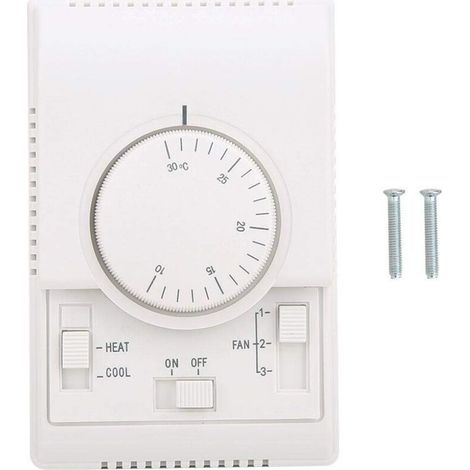
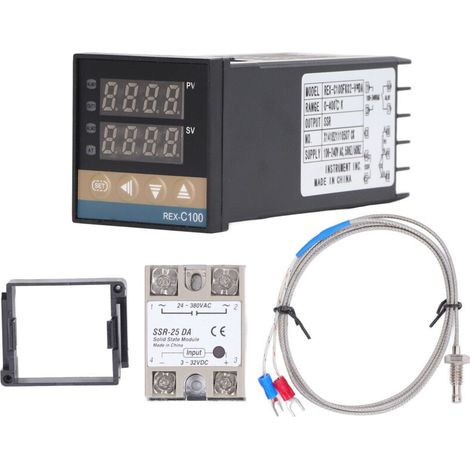
XH-3002 Microcomputer Digital Temperature Controller 24V
Of which environmental contribution £0.10 including VAT.
Buying for your business?
Negotiated prices excl. VAT up to -20%
Sold by Cuizi
You may also like







Compare with similar items
Product information
Description
Features:
1. A variety of perfect applications, convenient operation, and easy settings make this your ideal temperature control device.2. Accurate and reliable with good long-term stability. Convenient to install and repair. Small size, low power consumption, and fast response.
3. Easy operation for setting start temperature, stop temperature, corrected temperature connector, etc.
4. Suitable for hatching, breeding, air and water temperature control, and other related temperature detection and control applications.
5. Specifications are optional, precise temperature control, temperature calibration.
Specifications:
Item Type: Digital Temperature ControllerMaterial: Plastic
Weight: Approx. 51 g / 1.8 oz
Operating Voltage Specifications: 12 V, 24 V, 110-220 V
Accuracy Level: 0.1
Temperature Measurement Range: -50-110 °C
Temperature Measurement Accuracy: -15-65 °C
Humidity Measurement Accuracy: ±1 °C
Temperature Measurement Error: ±1 °C
Applicable Environment: -15-55 °C / 20%-85% RH
Product Built-in Hole Size: 73 mm / 2.9 inches, hole diameter (φ4 mm)
How to use:
1. Press the setting button once to access the internal menu. The default display is P0. Press the setting button again and set the required start temperature using the up and down buttons.
2. Press the setting button once to access the internal menu. The display is P0. Navigate to P1 using the up and down buttons. Press the setting button again and set the required stop temperature using the up and down buttons.
3. Enter the internal menu in the same way. Navigate to P2 using the up and down buttons. Press the setting button again and set the required calibration temperature using the up and down buttons. (Note: In the setting, if the detected temperature value is 0.5°C higher than the actual temperature value, then the calibration temperature to be set is -0.5°C. If the detected value is 1°C lower than the actual temperature value, the calibration temperature to be set is 1°C. Detection Temperature + Correction Temperature = Actual Temperature.)
4. Enter the internal menu in the same way, navigate to P3 by pressing the up and down buttons, press the setting button again, and set the required delay time in minutes using the up and down buttons. (Note: Delayed start is generally used for compressor refrigeration. If used for refrigerators and freezers, this value must be set. Depending on the compressor back pressure, the general setting is 3 to 6 minutes. If you don't use it for control or no delay function is needed, simply skip it.) Temperature Control Mode 1. Essential Setting Parameters: Start Temperature 2. Setting Method: Press the setting button to access the internal menu, set the start temperature via value P0 and set the stop temperature via value P1. Use Case: Control the water heater, stop heating at 50°C and restart heating when the temperature returns to 40°C. How to set it? 1. Ensure the operating mode is heating mode. 2. StartupPress the setting button to access the internal menu, select P0 to start the temperature setting, and set the P0 value to 40°C.
3. Press the Set button to access the internal menu, select P1 to stop the temperature setting, and set the P1 value to 50°C.
Cooling Mode
1. Essential setting elements: Start temperature > Stop temperature (the program automatically determines that the operating mode is cooling mode).
2. Setting method: Press the setting button to access the internal menu, set the start temperature via P0, and set the stop temperature via the P1 value.
Use case: Empty cabinet radiator; heat dissipation stops at 26°C, and the temperature rises. How do I set the radiator to restart at 30°C?
1. Ensure the operating mode is set to cooling mode, with the start temperature > stop temperature.
2. Press the setting button to access the internal menu, select P0 to start temperature adjustment, and set the P0 value to 30°C.
3. Press the setting button to access the internal menu, select P1 to stop temperature adjustment, and set the P1 value to 26°C.
Package List:
1 x Temperature ControllerNote:
1. Press and hold the up and down buttons simultaneously until the screen displays 888 to restore factory settings. 2. The screen displays LLL, indicating that the temperature probe is not connected, disconnected or damaged; simply replace it. 3. The screen HHH indicates that the temperature probe is short-circuited and exceeds the temperature detection range.Features
- BrandOTHERS
- Pcs per pack1
- ColourWhite
- Height35 cm
- Width15 cm
- Length15 cm
- MaterialPlastic
- ManoMano ReferenceME220683500
- MMID356814986134
- Product codeBT-UK2025YS-51304
- EAN9140747127040
You are here:
'/%3E%3C/svg%3E)