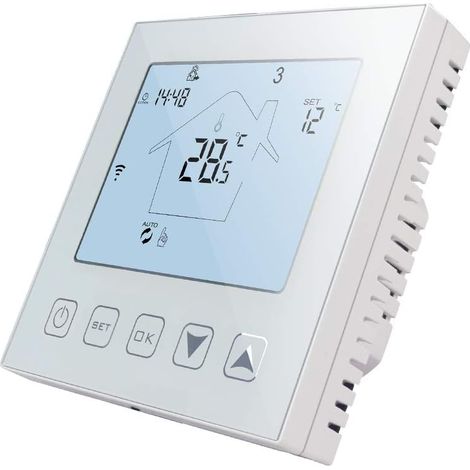
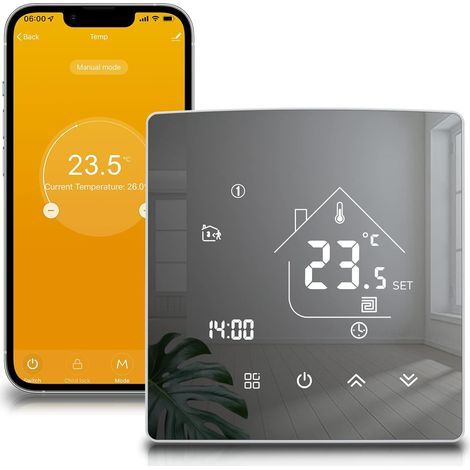
AC85-250V Touchscreen LCD Thermostat Temperature Controller Application for Home Use
Buying for your business?
Negotiated prices excl. VAT up to -20%
You may also like










Compare with similar items
Product information
Description
Specification:
Item Type: Thermostat Model: MH1823 Material: ABS Power Supply: AC85-250V 50/60Hz Power Consumption: Load Current: ≤16A Display Temperature Range: -20-95℃, -4-203℉ Control Accuracy: ±1℃, ±℉ Temperature Sensor: NTC Setting Temperature Range: 5-50℃, 41-99℉ Display Mode: LCD Screen Network Mode: Wireless Wi-Fi (2.4GHz) Dual Operation: Touch Button Control, APP Remote Control. High temperature protection: 5-65℃, 41-99℉ Default alarm temperature: 35℃, 95℉ (change the default value via the thermostat app)
How to use:
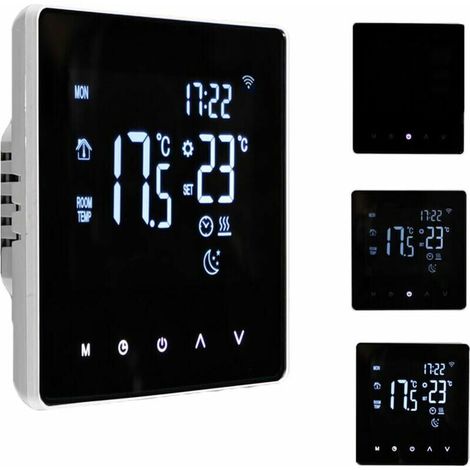
1. Power On/Off: Press the Power button to turn the machine on from the off state, and press the Power button to turn the machine off from the on state; Press and hold the Power button for 10 seconds while the machine is on, and the system will restore its factory settings. 2. Setting the clock: While the machine is on, press the Clock button to flash the minutes, and press the ^ or V button to set the minutes; Press the Clock button again to flash the hour and press the ^ or V button to set the hour; Press the Clock button again to flash the week and press the ^ or V button to set the week; Press the Clock button again to exit. You can press the M button directly to exit, or the device will automatically exit without operation for 20 seconds. It is not necessary to set a time after networking, and the device will automatically update the time. 3. Setting the temperature: In startup mode, press the ^ button to increase the set temperature and briefly press the v button to decrease it. 4. Child lock operation: Press and hold the ^ and v buttons for 5 seconds to activate the child lock function when the machine is switched on. Press and hold the ^ and v buttons again for 5 seconds to unlock. The child lock is locked and displays a padlock symbol; the unlocked lock does not display the padlock symbol. 5. In startup mode, the M button can be used to switch between manual and automatic modes. Press and hold the M button for 5 seconds to access the vacation mode setting.
Package List:
1 x Temperature Controller.
1 x Temperature and Humidity Probe
2 x Screws
1 x English User Manual
Features
- BrandOTHERS
- Power sourceCorded
- SmartYes
- ColourWhite
- MaterialAcrylonitrile butadiene styrene (ABS)
- Smartphone controlYes
- ProgrammableYes
- ControlTactile
- Compatible equipment typeElectric heating
- Thermostat typeConnected
- ManoMano ReferenceME223237910
- MMID893433957549
- Product codeKrlin-32994
'/%3E%3C/svg%3E)