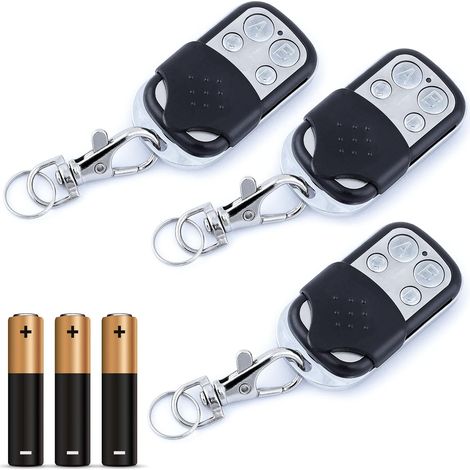
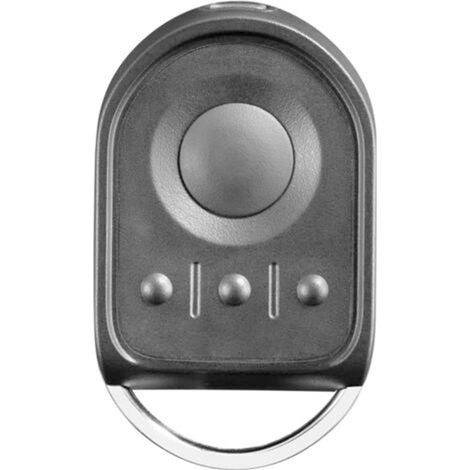
for 1841026 - NS 2-channel 433.42 MHz remote control for controlling 2 motors for gates and garage doors
Buying for your business?
Negotiated prices excl. VAT up to -20%
You may also like









Compare with similar items
Product information
Description
TRIMEC, we look forward to your visit. Don't hesitate to contact us if you have any questions✨ Programming instructions: 1) On the original programmed Telis RTS remote control (for Telis 4RTS remote controls, first select the channel you wish to copy), press the programming button hidden on the back of the remote control until the motors move (go up and down over short distances). 2) On the replacement remote, press buttons 3 and 4 simultaneously until the red LED on the remote starts flashing. Then release buttons 3 and 4. 3) On the replacement remote, press the buttons you wish to program. 4) The curtains will move slowly (the curtains will go up and down a short distance). Confirm that the new remote has been installed. 1) On a factory-programmed TelisRTS remote, press the hidden programming button on the back of the remote until the motor runs (it will go up and down a short distance). 2) On the replacement remote control, press buttons 3 and 4 simultaneously until the red LED on the remote control starts flashing. Then release buttons 3 and 4. 3) On the replacement remote control, press the button you wish to delete. 4) You have successfully deleted the programmed channel.
How to delete a programmed remote:
Features
- BrandSNQ
- ColourBlack
- Pcs per pack1
- Power sourceBatteries
- Height1 cm
- Width1 cm
- Length1 cm
- MaterialOak
- Number of channels2
- Weight100 g
- Motorisation accessory typeRemote-control
- Motorization useFor gate
- ManoMano ReferenceME96517294
- MMID219560915282
- Product codeFD-24069
- EAN6032223889616
'/%3E%3C/svg%3E)