1/4
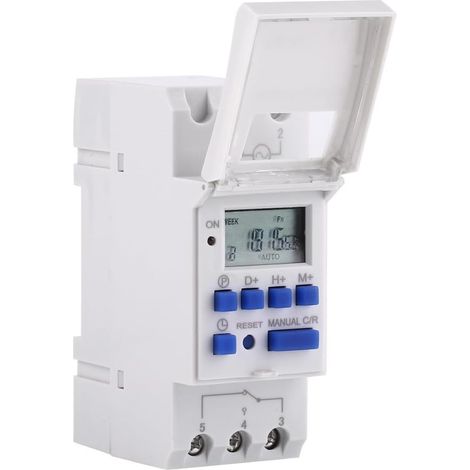
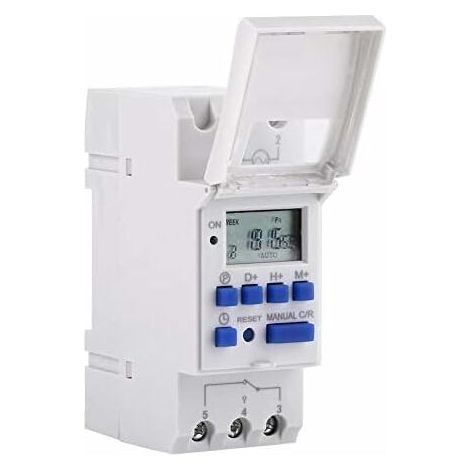
LCD Digital Timer, AC 220V Rail Mounted Timer, 16 Switching Groups, LCD Weekly Programmable Time Switch, Time Relay
Of which environmental contribution £0.01 including VAT.
Buying for your business?
Negotiated prices excl. VAT up to -20%
Sold by LinzGain Sarl
You may also like











Compare with similar items
Product information
Description
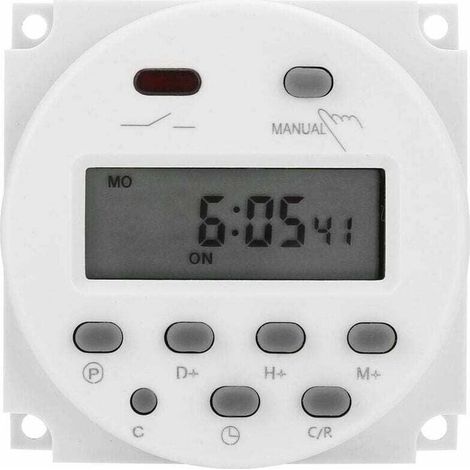
1. Advanced preset one week in advance 2. General purpose digital electronic timer with daily and weekly programs 3. Repeat programs with 16 ON and OFF settings 4. Setting accuracy to the minute 5. LCD screen displays real-time hours/minutes and ON/AUTO/OFF
Specification:
Description: This timer can automatically turn all kinds of electrical equipment on/off according to the time set by the user. It has a built-in rechargeable battery and an industrial-grade chip. With high accuracy and strong anti-interference capability, the timer is ideal for controlling streetlights, neon lamps, production equipment, radios and televisions, and many other household appliances. Features: Advanced preset one week in advance. General-purpose digital electronic timer with daily and weekly programs. Repeat programs with 16 ON/OFF settings. Accurate to the minute. The LCD screen displays real-time hours/minutes and ON/AUTO/OFF status. DIN rail mounting; DIN rail not included. Specifications: Input Voltage: AC/DC 12V, AC/DC 24V, AC 110V, AC 220V (optional) Current: 15A Power: 3000W Rated Contact Voltage: 220VAC (50/60Hz) Switching Capacitance: 16A Resistive Operation: 16 on/off cycles (manual/auto) Display: LCD Power Supply: Error: ≤2s/day Mounting Method: DIN rail (not included) Duty Cycle: 1 min to 168 hours Operating Temperature: -10℃ to 55℃ Size: 86x36x65mm/3.38x1.41x2.56" Quantity: 1 Battery: NiMH 1.2V 40mAh battery (built-in) Instructions: 1. When using the timer for the first time, enter AC and charge the built-in battery, then press the reset button. 2. The timer is in 24-hour mode by default. Press and hold the "time" button (bottom left, next to "reset") for 5 seconds until it displays "AM" to switch to 12-hour mode. Press and hold the "time" button again for 5 seconds to return to 24-hour mode. Programming: Step Button Programming 1. Press PRE to set the time "1 ON" (display 1 illuminates). 2. Press D+ to select the days of the week (if you want the same setting for every day, you do not need to press this button). 3 Press H+/M+ Set Hours and Minutes 4 Press P Set Time "1 OFF" (display 1 is off) 5 Press P Select the days of the week (if you want the same setting for each day, you don't need to press this button) 6 Press H+/M+ Set Hours and Minutes 7 Repeat steps 2 to 6 Set another on/off time 8 Press "time" (bottom left, next to "reset") The package includes: 1 timer 1 English manualFeatures
- BrandSNQ
- Voltage220 V
- Power sourceCorded
- Height30 mm
- IP ratingIP20
- Amperage15 A
- Width20 mm
- MaterialGlass fibre
- Type of electrical installationDIN rail
- Programming frequencyWeekly
- Weight200 g
- Power3000 W
- ManoMano ReferenceME96209712
- MMID173092111941
- Product codeLG-FD-02585
- EAN6919595186515
You are here:
'/%3E%3C/svg%3E)