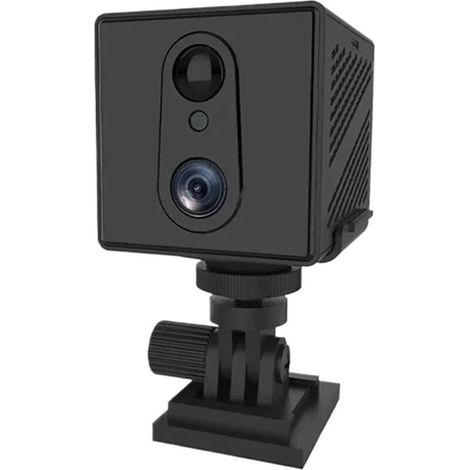
USB Wifi Camera Portable 1080P Mini inLine HD Home Smart IP AI Human Detection Office Supplies
You may also like



Compare with similar items
Product information
Description
1、When a moving object is detected within the recording range of the camera, the camera will start recording and send an alert to the APP on the phone 2、When you leave the camera, you can watch real-time video recording online, very convenient 3、When the memory is full, the latest video will overwrite the oldest video, no need to worry 4、The recordings saved on the micro memory card can be viewed on a computer with a card reader or directly on a mobile phone. You can download recordings saved in cloud storage and watch them directly on your phone 5、If you are worried about the theft of the camera or damage to the files in the micro memory card, you can use additional paid cloud storage
Item Type: USB Wifi CameraMaterial: ABSColour: BlackViewing Angle: 140 DegreesResolution: 1080 x 1920PPixel: 2 Million (DPI)Image Sensor: CMOSVoltage: 12V / 2AAlarm Function: SupportExternal Storage: Up to 128GB (not included)Length: Approx. 160mm / 6.3in(manually measured, there may be minor errors)Features: Real-time preview, video playback, cloud storage, AI humanoid recognition, alarm pushShort-Range Link Tutorial (set password): Please initialize the device when using the device for the first time1. Insert the USB plug into the power adapter or power bank, the red and blue lights are on, and wait for about 40 seconds for the lights to change to red, which means the short-range mode is successfully turned on.2. Long press the RESET button for 3 seconds, the light color changes to red and blue light, and after about 15-20 seconds, the light color changes to only red light again, which means the camera has been reset successfully.3. Open the mobile wifi list and connect to "MV**wwiFi, Such As: MV35804985. Please wait patiently for about 1 minute after connecting to the WIFI.4. When the mobile phone is connected to the camera WIFI, open the device interface of the mobile phone APP (for V380 Pro) and pull down to automatically add the device.5. You can enter the monitoring screen according to the operation flow instructions in the APP.6. If the machine fails, the operation does not respond, or the password is reset, the machine can be reset, Reset Method: Long press the reset pin or toothpick for 3 seconds to reset the position of the hole, the red and blue lights are on to complete the resetSet up Camera Remote Monitoring: 1. Click the settings button in the lower right corner2. Enter the setting interface and select "Replace Device Network"3. After entering the interface, click "Switch device to routing mode" at the bottom of the interface4. Select "Click here to replace WiFi", select your WiFi and enter the passwordAfter the setting is completed, the light color will switch from red light to blue light, the device is in remote mode, and the process of connecting to the remote takes about 1 minute, please wait patiently (if the device has not turned to blue light for more than 5 minutes during the connection process, it may be due to the wrong WiFi password or the failure of the router WiFi. At this time, the device will automatically return to the short-range mode and the red light will be on. You need to reconnect the phone to the WiFi hotspot at the beginning of the MV, and re-operate the device to connect to the remote)Equipment Recording Settings:Automatic Recording: 24 hours a day recording, the recording time is 10 minutes for a video, the default loop swimming image (the function can be turned on after the memory card has been inserted)Alarm Recording: After the defense is turned on, the motion detection alarm will automatically shoot a video of 20 seconds to 2 minutes and save it on the memory card or cloud server. (you need to purchase a cloud storage package to save the video on the cloud server)Video Recording Audio: After turning on this function, small memory card recording can realize audio synchronization.Video Resolution: You can choose "HD" or "Pure"
.wang-edit-text{
font-family:'Arial' !important;
}
.wang-edit-text table {
border-top: 1px solid #000;
border-left: 1px solid #000;
}
.wang-edit-text table td,
.wang-edit-text table th {
border-bottom: 1px solid #000;
border-right: 1px solid #000;
padding: 3px 5px;
}
.wang-edit-text table th {
text-align: center;
}
1 x Host1 x User Manual1 x Reset Pin
Features
- BrandSTUNACY
- ManoMano ReferenceME221596678
- MMID561017945549
- Product codeSTYM-1217210013811
- EAN4265116132243
Home security camera buying guide
'/%3E%3C/svg%3E)
'/%3E%3C/svg%3E)